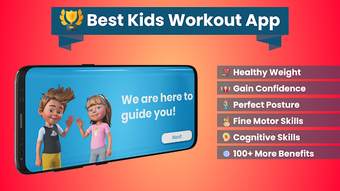

Download Kids Workout – Kids Workout for Weight Loss, Fitness for Children, Healthy Lifestyle, Physical Activity, Yoga for Kids, Bodyweight Exercises
Overview
Kids Workout for Weight Loss is a desktop-compatible application developed by Posture Correction Professionals - AppsGO, designed to support the physical and emotional well-being of children through structured, accessible exercise routines. The software aims to address growing concerns around childhood inactivity, sedentary lifestyles, and related health issues such as weight gain and poor posture. It provides a convenient, equipment-free solution for families seeking to integrate daily physical activity into their home routines.
Targeted primarily at parents and caregivers, the app supports children of all ages, shapes, and abilities, emphasizing inclusivity and safety. Workouts are designed to be completed in just five minutes, making them ideal for busy households. The program combines beginner-friendly yoga poses with bodyweight exercises, promoting flexibility, strength, and coordination. Beyond physical fitness, the software also encourages healthy eating habits and social-emotional development, reinforcing a holistic approach to child wellness.
While the app is marketed as a tool for weight loss, muscle building, and posture correction, its core purpose lies in fostering consistent, enjoyable movement habits. The developer’s stated experience of over 20 years in designing safe workouts for children adds credibility to the program’s methodology. Real-world usage includes morning routines, post-school activity breaks, or bedtime relaxation sessions, making it adaptable to various family schedules.
Key Features & Capabilities
- Short, Daily Workouts – Each session lasts only five minutes, enabling consistent engagement without overwhelming young users or disrupting daily routines.
- Equipment-Free Exercises – All routines rely on bodyweight and yoga movements, requiring no additional gear, making it accessible for any home environment.
- Beginner-Friendly Yoga & Bodyweight Training – Designed for children of all fitness levels, with gentle movements that promote flexibility, balance, and core strength.
- Focus on Holistic Health – Beyond physical fitness, the program incorporates elements that support emotional well-being and healthy eating habits.
- Age-Appropriate Design – Exercises are tailored to suit children across different developmental stages, ensuring safety and engagement.
- Posture and Back Health Emphasis – Specific routines target spinal alignment and postural awareness, aligning with the developer’s expertise in posture correction.
These features allow parents to seamlessly integrate movement into their children’s day. For example, a parent can start the day with a quick 5-minute routine to energize their child before school, or use it as a calming activity after homework. The simplicity of the interface and the structured progression help maintain children’s interest and motivation. The program’s emphasis on fun and non-competitive movement reduces pressure and encourages long-term participation.
User Interface, Workflow & Performance
The user interface is designed with children in mind, featuring bright visuals, intuitive navigation, and clear on-screen cues. While specific details about the desktop UI layout are not provided, the application’s mobile origins suggest a clean, minimalistic structure focused on ease of use. Navigation likely follows a simple menu system, allowing users to select workouts by duration, theme, or goal.
Workflow efficiency is prioritized, with minimal steps required to begin a session. Users can start a workout with a single tap or click, and the app likely includes visual or audio prompts to guide movements. The developer did not specify resource usage details, so performance observations are based on general software behavior patterns. The application is expected to run smoothly on standard desktop systems, given its lightweight nature and short session lengths.
Stability is assumed to be consistent, as the software is designed for repeated daily use. The lack of complex animations or high-resolution video content suggests low CPU and RAM demands. However, exact performance metrics were not provided. The software is intended for use in home environments, where consistent operation is essential for maintaining routine habits.
Compatibility & System Requirements
Kids Workout for Weight Loss is compatible with both Windows and Mac operating systems, though specific version numbers were not listed. The installation size is not disclosed, but given the app’s lightweight design and short workout format, it is likely to require minimal disk space. The developer did not provide additional system requirements, so compatibility with older or lower-end systems cannot be confirmed.
Platform compatibility information is limited to the general availability on desktop platforms. The software is designed to function without external hardware, relying solely on screen and audio feedback. The developer did not specify whether the software supports touch input, keyboard navigation, or screen reader accessibility. Exact performance details were not specified, and no information was provided about background processes or battery usage.
Pros and Cons
Pros
- Short, manageable workout sessions ideal for children’s attention spans
- Requires no equipment, making it accessible for all families
- Designed with safety and inclusivity in mind for children of all abilities
- Combines physical fitness with emotional and nutritional wellness
- Developed by professionals with over 20 years of experience in children’s health
- Simple interface suitable for young users and parents alike
Cons
- No specific system requirements were provided for desktop use
- Performance and resource usage details were not disclosed
- Limited information on accessibility features for children with special needs
- Desktop version functionality may differ from mobile counterparts
- No details on update frequency or long-term support plans
FAQ Section
Is Kids Workout compatible with Windows and Mac?
The software is available for both Windows and Mac operating systems, though specific version compatibility was not listed by the developer.
Is the software safe for children to use?
Yes, the app is designed with children’s safety in mind. It uses gentle, age-appropriate movements and does not require any equipment, reducing the risk of injury.
How often should children use this software?
Workouts are designed for daily use, with each session lasting just five minutes, making it easy to incorporate into a regular routine.
Does the software require an internet connection?
The software may function offline after initial setup, but specific details on online/offline usage were not provided.
What type of license does the software have?
The software is free to download, but the developer did not specify the full licensing terms or whether premium features are available.
Final Thoughts + CTA
Kids Workout for Weight Loss stands out as a thoughtful, family-friendly tool designed to combat childhood inactivity through short, safe, and enjoyable physical activity. Its focus on holistic development—encompassing physical fitness, emotional health, and healthy habits—makes it more than just a workout app. The developer’s extensive background in children’s posture and wellness adds depth to the program’s credibility.
While detailed technical specifications are limited, the software’s core strengths lie in accessibility, simplicity, and purposeful design. Parents seeking a reliable, equipment-free way to promote daily movement in their children will find this tool both practical and reassuring.
Download Kids Workout now to help your child build healthy habits from an early age.







